



Skip to content
90-day free trial. No credit card required to start. Free concierge data migration & setup. Start free trial
DZ Fleet Suite

Truck fleet maintenance software

From driver inspection
to completed repair.

Built for trucking—and welcoming service, equipment and mixed fleets. Connect driver inspection defects to repairs, with work orders, preventive maintenance and parts together.

90-day free trial · No credit card required to start
No setup fees  ·  Cancel any time  ·  Free concierge migration

DZ Fleet Suite truck badge

BUILT FOR THE PEOPLE
WHO KEEP FLEETS MOVING.

Included free with your trial

Free concierge migration & account setup

Send your CSV or Excel files. Standard migration of assets, drivers, basic parts and PM schedules is free — we set up the account for you. The 48-hour target starts only after complete files and any required clarifications are received. Complex or large fleets get a scoping review and confirmed custom timeline.

Upload files for free setup CSV or XLSX · up to 5 files · no credit card

Showcase

Work order detail + laborDZ Fleet Suite web workflow, rendered with fictional demo data
Work orders Multilingual crew communication Preventive maintenance Driver inspections Parts & inventory Multiple locations

Multilingual employee communication

SHOP · OFFICE · YARD · FIELD · DRIVERS

Different languages.
One connected team.

Give clear instructions. Get a reply you can understand. Connect shop technicians, office staff, yard crews, field employees and drivers through work conversations in their preferred language—with photos, documents and acknowledgment kept together.

See how a team works across languages

English · Español · Polski · Русский
Translate instructions and replies between any of these four languages. Employees choose their preferred language; original messages remain available. Everyday tasks need no vehicle or work order.

FIELD TASK · ILLUSTRATIVE EXAMPLEORIGINAL + TRANSLATED VIEW
MANAGER ORIGINAL · ENGLISH

Juan, take the utility cart and equipment to Field B.

Juan views instructions in his preferred languageTranslate to Spanish

Juan, lleva el carrito utilitario y el equipo al Campo B.

INSTRUCTIONS ACKNOWLEDGED · JUAN REPLIES
FIELD EMPLOYEE ORIGINAL · SPANISH

Entendido. Llevaré el carrito y el equipo al Campo B.

Manager chooses to view the replyTranslate to English

Understood. I’ll take the cart and equipment to Field B.

Illustrative example · English–Spanish is one of the supported language pairs. In the current app, each reader selects Translate to view the translation alongside the original.

Parts department

Know what is on the shelf, and where.

Track parts by stock location with minimum, maximum and reorder levels. Keep vendors, hand-prepared purchase orders and partial receiving into a chosen location in the same place as your repairs, with explicit stock reservation on work orders. Parts and purchasing are on Professional and Enterprise, and depend on enabled modules and user permissions.

See how the parts department works

Find your operation

Your kind of fleet.

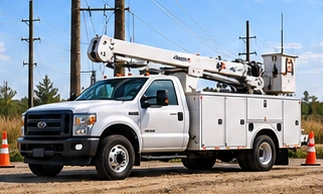
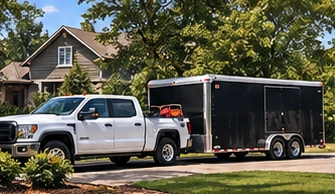
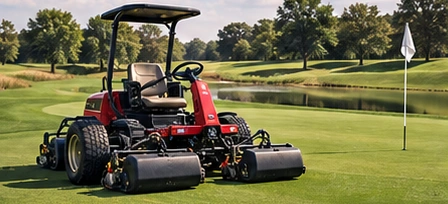
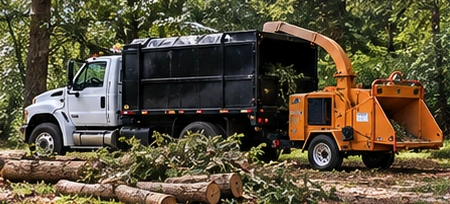
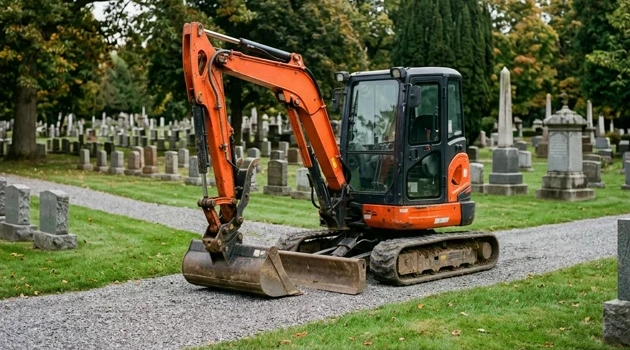
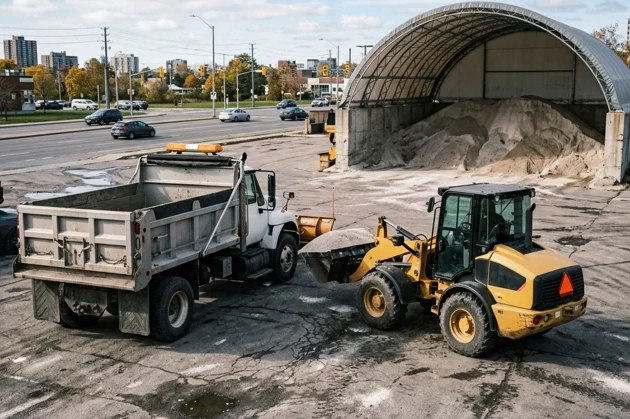
Road vehicles. Compact equipment. Heavy iron.
Choose your industry to see how maintenance fits.

Inside DZ Fleet Suite

See the work. Not just the pitch.

Three connected workflows. Actual web-product screens, rendered with fictional demo records.

Select to enlarge. Real Fleet Suite web UI, rendered with fictional demo records — not customer data or native-app screenshots.

One connected maintenance record

Explore the connected workflow.

Seven core modules: work orders, PM schedules, DVIR inspections, parts and inventory, fleet intelligence, multi-terminal support, and a built-in help desk. What’s included depends on plan, enabled modules, and permissions.

From defect to documented repair

Five stages: driver reports a defect; a work order is created; a manager assigns a technician; the technician records the repair; fleet records update from logged activity. Explore four sample scenarios: defect to repair, reviewed voice draft, Verizon alert, and an upcoming PM opportunity. Samples use synthetic data and make no provider calls.

Connect Fleet Data to Maintenance Workflows

Verizon Connect Reveal is available on Professional and Enterprise for supported accounts, hardware, and approved API access. Syncs are periodic; a last-known location is not live GPS. Rand McNally is planned, subject to approved access and successful validation—not currently available.

Why DZ Fleet Suite Beats Manual Tracking

Connect reminders, inspections, work orders, assignments, and repair history instead of reconciling separate files. Records and reports reflect what your team enters; they do not guarantee compliance or performance gains.

Plan inclusions at a glance

Starter is $99/month for up to 25 assets and one working location; Professional is $174.99/month for up to 100 assets and five working locations; Enterprise is $399.99/month for up to 500 pooled assets and ten working locations. More than 500 assets or ten working locations requires a custom quote: contact us. Working locations are staffed operating branches or shops with people and equipment—not parking addresses, GPS points or temporary jobsites. All plans include unlimited users, a 90-day trial, and no card required to start. Parts, purchasing, analytics, and multiple locations are plan-scoped.

Additional operational tools

More capability.
One connected platform.

Core maintenance details are visible above and below. Explore additional workflows for your operation here.

Explore the full platform
Fleet-aware AI, reviewed voice drafts & help when you need it

Fleet AI uses available fleet context for maintenance questions and work-order suggestions, with guidance tailored to the user's role. Voice intake turns spoken reports into structured drafts for a person to review before confirming.

AI suggestions are not an authoritative diagnosis. A qualified person must review repair and safety decisions. Fleet AI subscriptions are optional; voice recordings use shop credits, with tier and data-pack details on the pricing page.

The built-in Help Desk provides AI guidance, human escalation, in-app replies and email notifications—not just a contact form.

Fuel tracking, reservations & equipment records

Record fuel fill-ups by asset, review fuel costs and efficiency by miles or engine hours, and organize asset reservations with conflict checks.

Keep unit-specific filter profiles together in the Fleet Filter Sheet, with search, print and CSV export. Asset records connect equipment identity, service history and maintenance activity.

Availability depends on your plan, enabled modules and user permissions.

Employee tasks, shop contacts & team accountability

Assign employee tasks, follow their status, and keep shop contacts and the employee directory within reach. Role-based access and location-scoped views help each person work with the records relevant to their job.

In-app notifications, onboarding guidance and the built-in help desk support the team beyond the initial setup.

Maintenance, inventory & fleet visibility

Asset records and service history. Work orders and labor. Calendar, mileage and engine-hour PM. DVIR inspections, parts, vendors, purchase orders, fleet costs and analytics, with location-scoped views.

Connected vehicles & optional Fleet AI

Verizon Connect Reveal periodically syncs mapped vehicles, with supported diagnostic-code work orders and last-known location snapshots. This is not live GPS tracking; availability depends on account, plan, hardware and API access. Rand McNally is planned, subject to approved access and validation.

Fleet AI is an optional paid add-on, not required for core maintenance. Explore repair assistance, photo-assisted visual review and voice-to-work-order drafts with human review before confirmation. Photos are used for the current response, not retained in chat history; AI suggestions do not replace a qualified inspection.

Crews, mobile access & support

Browser-based access for the office and the field, driver inspection workflows, multilingual crew communication and in-app help desk. Ask about DZ Driver and DZ Command in a product walkthrough.

The self-guided product tour retains the defect-to-repair, reviewed voice draft, Verizon and opportunistic PM scenarios with synthetic sample data. It creates no live records and makes no provider calls. “Request a demo” opens the separate demo request form. Native-app release and unfinished crew rollout are not implied.

Moving from spreadsheets & buying confidently

Free standard migration covers assets, drivers, basic parts and PM spreadsheets. The 48-hour target starts after complete files and required clarifications are received. Complex fleets receive a scoping review and confirmed custom timeline.

Unlimited users on every plan. Pay per organization—not per seat. Bring your drivers, technicians and office team without adding per-user fees.

A practical place to start

Right-sized for your operation.

Priced per organization, per month. Choose by asset count and locations — not the physical size of your equipment.

StarterUp to 25 assets · 1 working location$99 / mo
ProfessionalUp to 100 assets · 5 working locations$174.99 / mo
EnterpriseUp to 500 assets · 10 working locations$399.99 / mo

More than 500 assets or 10 working locations? Contact us for Enterprise Custom.

Fleet AI is an optional paid add-on.

Compare plans & FAQs

Your fleet.
One maintenance record.

Try it with your own operation for 90 days. Prefer a walkthrough first? Show us the work you need to manage.

90-day free trial · No credit card required to start
No setup fees · Cancel any time

Upload files for free concierge setup

Before you get started

Common questions.

What is fleet management software?

DZ Fleet Suite brings vehicle and equipment records, work orders, preventive maintenance, inspections, parts and fleet reporting into one browser-based platform.

How much does fleet management software cost?

Starter is $99 per organization/month for up to 25 assets and one working location. Professional is $174.99 for up to 100 assets and five working locations. Enterprise is $399.99 for up to 500 pooled assets and ten working locations. Larger fleets or additional working locations require a custom quote. Unlimited users are included; optional Fleet AI is priced separately.

What is a DVIR inspection?

A Driver Vehicle Inspection Report records vehicle condition and reported defects. DZ Fleet Suite supports driver inspection submissions and routes defects into maintenance work. Applicable inspection duties depend on your operation and jurisdiction.

What is preventive maintenance software?

Plan recurring service by calendar, mileage or engine hours, review due maintenance and connect service work to the asset record.

Can DZ Fleet Suite manage multiple locations?

Yes. Starter includes one working location, Professional up to five and Enterprise up to ten. A working location is a staffed operating branch or shop with people and equipment—not a parking address, GPS point or temporary jobsite. Assets are pooled across the account and users are unlimited. More than ten working locations or 500 assets requires a custom agreement. Role-based permissions and location-scoped views organize access.

Is DZ Fleet Suite good for small fleets?

Starter supports up to 25 assets at one location. Every base plan offers a 90-day free trial with no credit card or setup fee. Cancel any time.

What industries use fleet management software?

Vehicle and equipment operators include trucking, construction, transit, service and utility, landscaping, forestry, golf courses, cemeteries, public works and agriculture.

How does DZ Fleet Suite handle parts and inventory?

Maintain parts records, location stock, reorder thresholds, suppliers and purchase orders. Module availability depends on your plan and permissions. Review purchasing and receiving rather than assuming an order is placed automatically.

Why should I move from spreadsheets?

Connected maintenance records keep inspection defects, work orders, recurring service, parts and repair history together without maintaining separate spreadsheets. The comparison page explains the workflow differences.

How do I get support?

Use the in-app Help Desk for AI guidance and human escalation. Support replies remain in the app with email notifications. You can also contact helpdesk@dzfleetsuite.com.

Product workflow

DZ Fleet Suite web workflow, rendered with fictional demo records. Not live customer data, a native-app capture or evidence of a completed live repair. Promotional captions are supplied by Command.